Notices
概述
本文档介绍了 WordPress 中通知(Notices)的两种实现方式:经典编辑器使用 admin_notices 钩子渲染任意 HTML,而区块编辑器则采用正式的 Notices Data API 进行更结构化的管理。
关键要点
- 通知是显示在管理页面顶部的信息性 UI,用于指示操作结果或吸引用户注意。
- 经典编辑器通过 admin_notices 钩子提供灵活性,允许开发者渲染任意 HTML,但可能影响未来迭代。
- 区块编辑器使用 Notices Data API(如 wp.data.dispatch('core/notices').createNotice())来创建结构化通知,支持类型(如 success、info)、可关闭性和操作。
- 区块编辑器 API 通过数据存储管理通知,确保一致性和可维护性。
代码示例
// 经典编辑器示例
function myguten_admin_notice() {
    $screen = get_current_screen();
    if ( ! $screen || 'post' !== $screen->base ) {
        return;
    }
    wp_admin_notice(
        sprintf( __( 'Post draft updated. <a href="%s" target="_blank">Preview post</a>' ), get_preview_post_link() ),
        array(
            'type'        => 'success',
            'dismissible' => true,
        )
    );
};
add_action( 'admin_notices', 'myguten_admin_notice' );

// 区块编辑器示例
( function ( wp ) {
    wp.data.dispatch( 'core/notices' ).createNotice(
        'success',
        'Post published.',
        {
            isDismissible: true,
            actions: [
                {
                    url: '#',
                    label: 'View post',
                },
            ],
        }
    );
} )( window.wp );
注意事项
- 在经典编辑器中,admin_notices 钩子允许任意 HTML,这提供了灵活性,但可能使未来更新变得困难。
- 区块编辑器的 Notices Data API 要求从 JavaScript 应用生命周期中调用,确保通知与编辑器数据流集成。
- 开发者应参考官方文档和 Notices Data Handbook 页面以获取完整 API 细节和最佳实践。
Notices are informational UI displayed near the top of admin pages. WordPress core, themes, and plugins all use notices to indicate the result of an action, or to draw the user’s attention to necessary information.
In the classic editor, notices hooked onto the admin_notices action can render whatever HTML they’d like. In the block editor, notices are restricted to a more formal API.
Notices in the Classic Editor
In the classic editor, here’s an example of the “Post draft updated” notice:
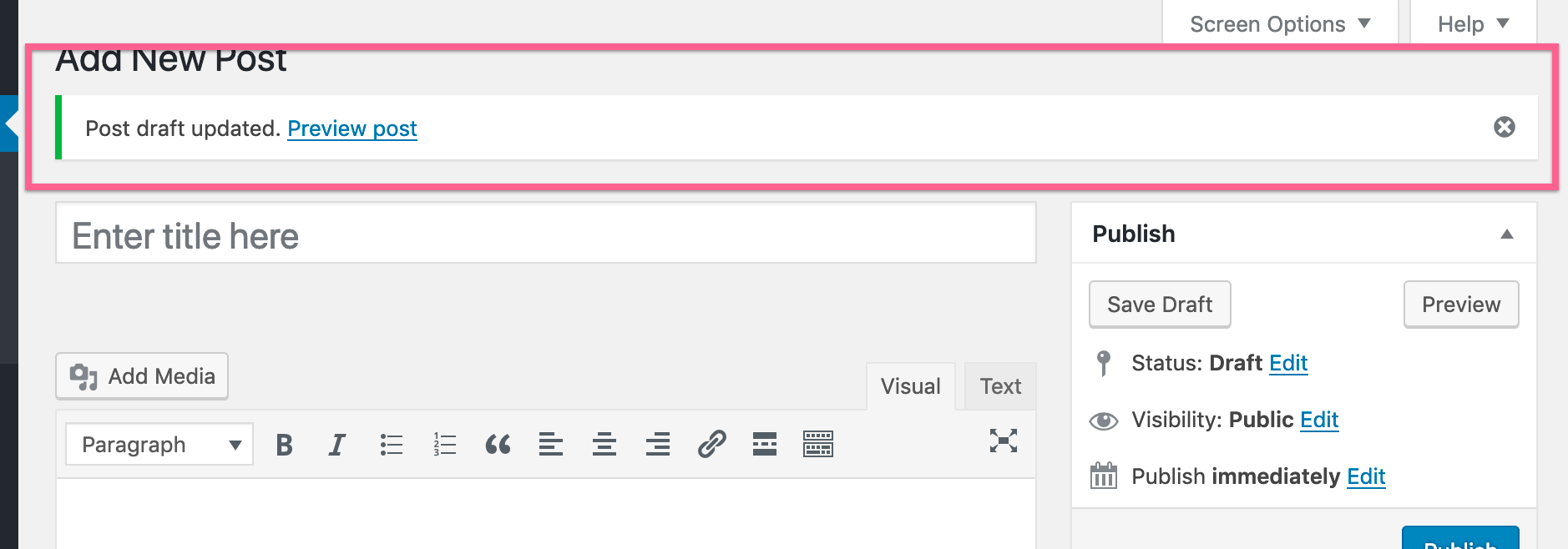
Producing an equivalent “Post draft updated” notice would require code like this:
/**
 * Hook into the 'admin_notices' action to render
 * a generic HTML notice.
 */
function myguten_admin_notice() {
    $screen = get_current_screen();
    // Only render this notice in the post editor.
    if ( ! $screen || 'post' !== $screen->base ) {
        return;
    }
    // Render the notice's HTML.
    wp_admin_notice(
        sprintf( __( 'Post draft updated. <a href="%s" target="_blank">Preview post</a>' ), get_preview_post_link() ),
        array(
            'type'        => 'success',
            'dismissible' => true,
        )
    );
};
add_action( 'admin_notices', 'myguten_admin_notice' );
Importantly, the admin_notices hook allows a developer to render whatever HTML they’d like. One advantage is that the developer has a great amount of flexibility. The key disadvantage is that arbitrary HTML makes future iterations on notices more difficult, if not possible, because the iterations need to accommodate for arbitrary HTML. This is why the block editor has a formal API.
Notices in the Block Editor
In the block editor, here’s an example of the “Post published” notice:
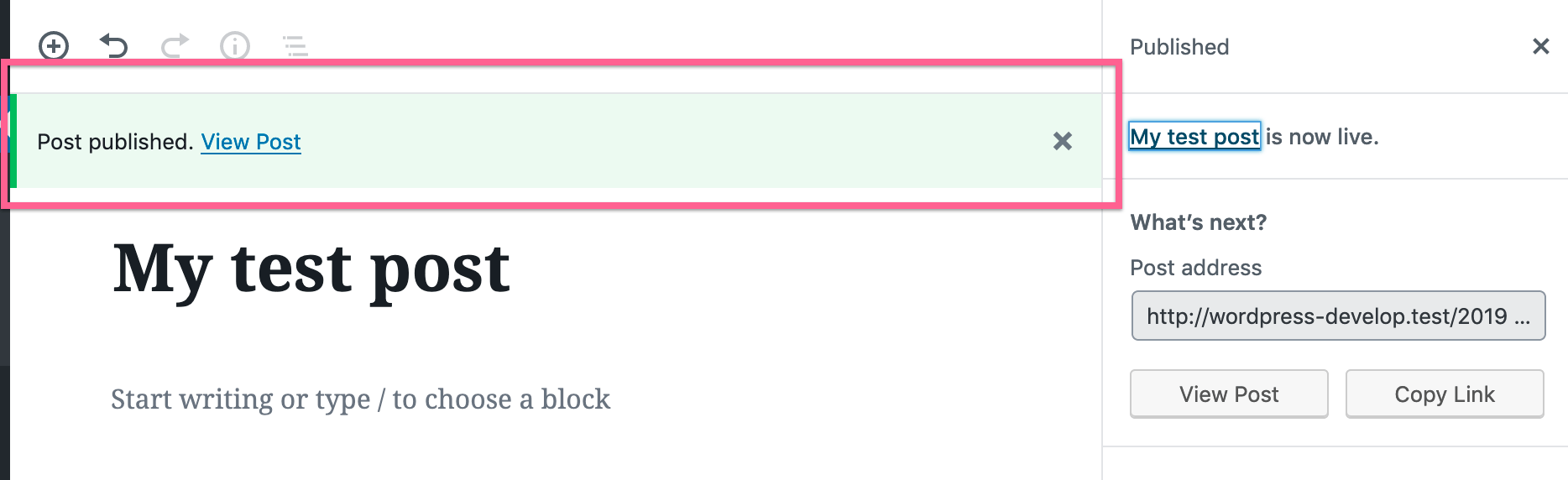
Producing an equivalent “Post published” notice would require code like this:
( function ( wp ) {
    wp.data.dispatch( 'core/notices' ).createNotice(
        'success', // Can be one of: success, info, warning, error.
        'Post published.', // Text string to display.
        {
            isDismissible: true, // Whether the user can dismiss the notice.
            // Any actions the user can perform.
            actions: [
                {
                    url: '#',
                    label: 'View post',
                },
            ],
        }
    );
} )( window.wp );
You’ll want to use this Notices Data API when producing a notice from within the JavaScript application lifecycle.
To better understand the specific code example above:
wpis WordPress global window variable.wp.datais an object provided by the block editor for accessing the block editor data store.wp.data.dispatch('core/notices')accesses functionality registered to the block editor data store by the Notices package.createNotice()is a function offered by the Notices package to register a new notice. The block editor reads from the notice data store in order to know which notices to display.
Check out the Enqueueing assets in the Editor tutorial for a primer on how to load your custom JavaScript into the block editor.
Learn more
The block editor offers a complete API for generating notices. The official documentation is a great place to review what’s possible.
For a full list of the available actions and selectors, refer to the Notices Data Handbook page.