主题安全问题
概述
本文档介绍了如何报告WordPress主题的安全问题,以及开发者收到更新请求时的处理流程。旨在确保主题安全漏洞得到及时、私密的处理,避免公开披露导致风险扩大。
关键要点
- 报告主题安全问题:不要公开披露,应通过主题目录页面的“Report this theme”按钮或发送邮件至themes@wordpress.org,提供问题描述、主题链接和验证信息。
- 开发者处理更新请求:收到Themes Team的邮件后,需按要求在指定时间内解决问题,回复邮件沟通疑问,并仔细测试更新后通过上传表单提交。
- 安全资源:推荐参考Common APIs手册的安全章节和相关指南,以学习主题安全最佳实践。
注意事项
- WordPress核心安全问题不应报告给主题团队,需遵循专门的漏洞报告流程。
- 插件安全问题应参考“Reporting Plugin Security Issues”文档。
- 主题可能因安全问题被暂停下载,直到问题解决。
How to report a theme
If you find a theme with a security issue, please do not post about it publicly anywhere. Even if there’s a report filed on one of the official security tracking sites, bringing more awareness to the security issue tends to increase people being hacked, and rarely speeds up the fixing.
To report a theme that is in the WordPress.org theme directory, please go to the theme’s directory listing (For example, https://wordpress.org/themes/twentytwentythree/) and use the “Report this theme” button in the sidebar, and complete the form.
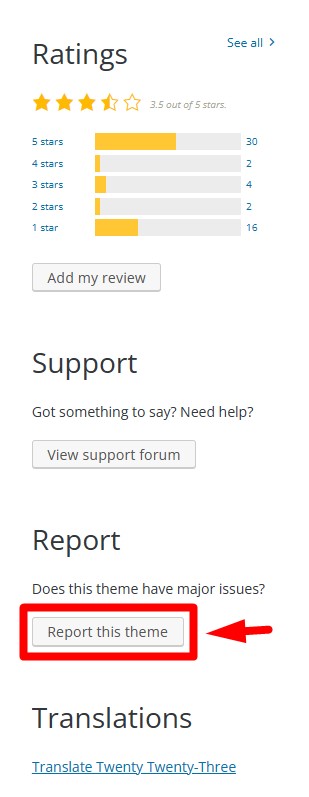
You can also send reports of security issues to themes@wordpress.org. Include the following:
- a clear and concise description of the issue
- a link to the specific theme
- whether or not you have validated the security issue yourself
- optional – links to any public disclosures on 3rd party sites
For developers
What to do when you receive a request to update your theme
If your theme has been reported and the Themes Team decides that action needs to be taken, you will receive an email from the Themes Team with information and instructions.
– You may be asked to solve an issue within a specific time frame. This depends on the severity of the issue.
– The Themes Team may need to suspend your theme to prevent new downloads until the issue is resolved.
You must reply to the email if you have any questions, need more information, or need more time.
Test your theme update carefully and submit it through the upload form on the theme directory page.
Learn more about how the Themes team works with theme suspensions and delisting.
Resources
To learn more about theme security, please see the Security chapter of the common APIs handbook.