测试
概述
本文档为WordPress主题开发者提供主题发布前的全面测试指南,涵盖测试环境设置、工具使用、功能测试、可访问性和性能优化等方面,以确保主题质量和兼容性。
关键要点
- 测试环境:推荐使用本地开发环境或WordPress Playground进行测试,并启用调试功能。
- 主题单元测试数据:利用WordPress提供的Theme Unit Test Data XML文件测试主题处理各种内容的能力。
- 测试工具:使用Theme Check Plugin、Debug Bar、Query Monitor等插件和浏览器开发者工具进行兼容性和调试测试。
- 功能测试:验证主题与WordPress核心功能(如文章、页面、块编辑器、评论)的兼容性和响应式设计。
- 可访问性测试:遵循WordPress Accessibility Guidelines,使用aXe、WAVE等工具确保主题可访问。
- 性能测试:使用PageSpeed Insights等工具优化资源加载,压缩CSS、JavaScript和媒体文件。
代码示例
// 示例:启用调试模式(在wp-config.php中添加)
define('WP_DEBUG', true);
define('WP_DEBUG_LOG', true);
define('WP_DEBUG_DISPLAY', false);
注意事项
- 测试时需覆盖不同设备和屏幕尺寸,确保响应式设计有效。
- 对于块主题,需额外测试Site Editor、Styles界面和Navigation块等功能。
- 避免在主题中加载过多未优化资源,以提升性能。
Whether you are planning to share your WordPress theme with a broad audience or aiming for a specific platform, this article will help you get your theme ready for release. It focuses on general theme testing to ensure your theme’s quality and compatibility across various environments.
Expanding on the principles from previous sections, this article covers things like code quality, compatibility, and responsiveness. By the end, your theme will be ready to use on a live site.
Testing environment
When building your theme, it is good practice to test from within some type of development environment. In this section, you will get an overview of a couple of methods that you can explore further on your own.
Local environment
A local development environment provides a controlled space for developing and testing your theme without impacting your live site. Some of the available options are listed in the Tools and Setup documentation.
When developing locally, you should always have debugging enabled. Check out the Debugging documentation for information on debugging techniques and tools that will help you handle errors and optimize your theme development process.
WordPress Playground
WordPress Playground is another option for testing. It operates entirely in the browser, providing a controlled space for testing.
Here is a look at the default Twenty Twenty-Four theme running in Playground:
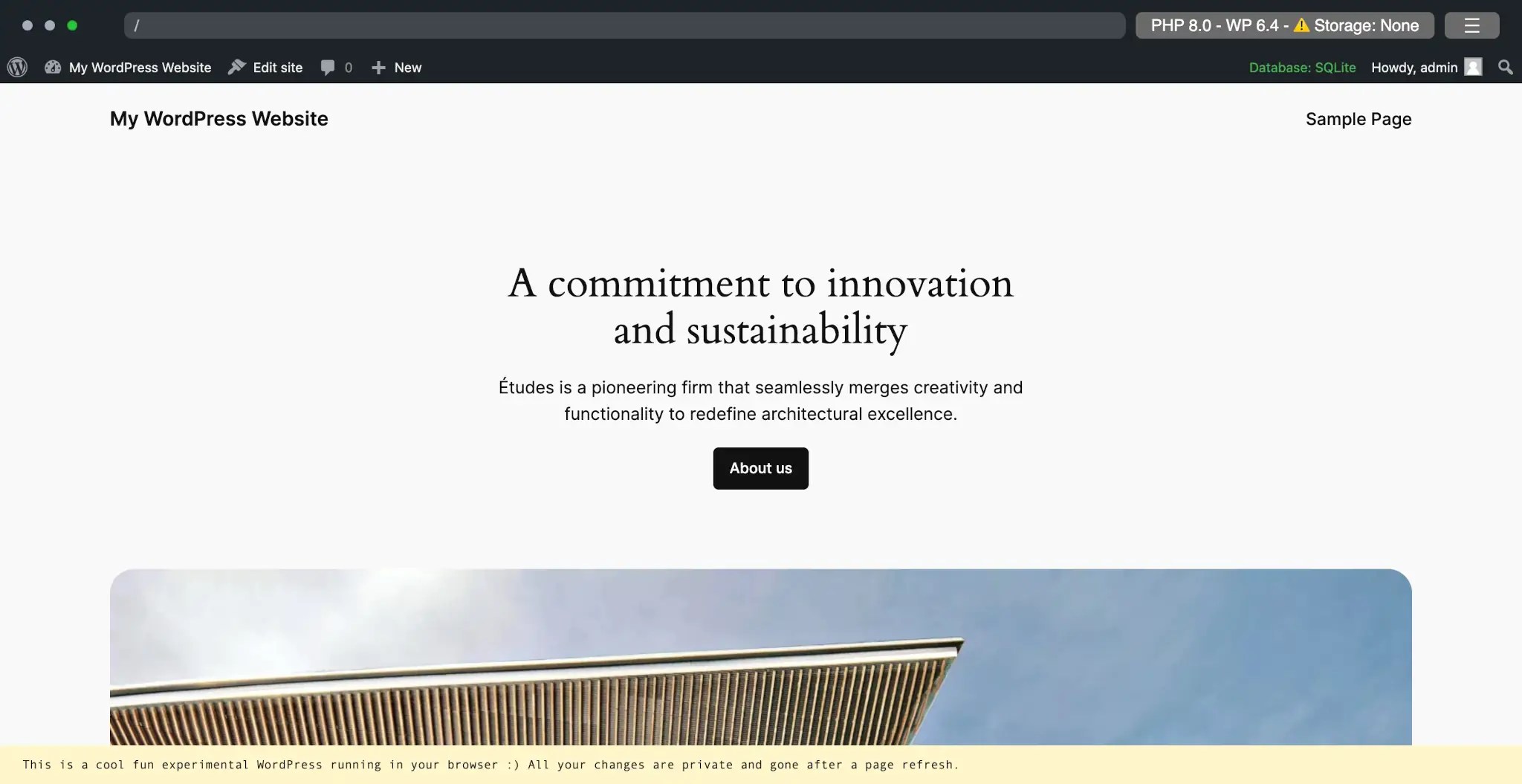
To become more familiar with using this platform, please refer to the official WordPress Playground documentation.
Theme Unit Test Data
When developing a WordPress theme, ensuring that it can handle a variety of content is fundamental. To assist in this process, WordPress provides a set of Theme Unit Test Data via an importable XML file. To be clear, this is just one part of a larger theme testing process.
The test data is a collection of posts, pages, comments, and media that you can import into your WordPress installation. By testing with this data, you can check how your theme handles edge cases, such as extremely long titles, images of varying sizes, nested comments, and a mix of HTML elements.
To test your theme with the Theme Unit Test Data, you need to:
- Download the data: Get the latest version from the GitHub repository.
- Import the data: Use the WordPress Importer tool to import the data into your WordPress environment.
Once you’ve imported the content into your test install, examine how each piece of content is displayed. Pay special attention to areas where your theme might be prone to issues. Also be sure to view your theme on various devices and screen sizes to make sure the content is displayed as expected.
Tools and resources
When testing your theme, it is important to use tools that will check every aspect of your theme for potential issues.
The Theme Check Plugin evaluates your theme against the Theme Review Guidelines before submitting to the official directory. Even if not submitting to the directory, it can also be useful for making sure your theme meets some baseline standards.
Some other WordPress plugins you should include in your testing suite are:
- Debug Bar: Adds an admin bar to your WordPress admin and provides a central location for debugging.
- Query Monitor: Allows debugging of database queries, API requests, and AJAX used to generate theme pages and functionality.
- Log Deprecated Notices: Logs incorrect function usage, deprecated file usage, and deprecated function usage in your theme.
- Monster Widget: Consolidates the core WordPress widgets into a single widget, making it easier to test them all at once (classic themes only).
For effective cross-browser compatibility testing of block themes, it is important to use the developer tools available with modern browsers, such as:
Functional testing
Testing your theme’s compatibility with basic WordPress features is necessary. This step ensures that your theme not only looks good but also works with WordPress’s core functionality.
Testing basic WordPress features
It is important that your theme works with core features and behaves as expected. The following are some of the basic features to test:
- Posts and pages:
- Create a variety of posts and pages using the block editor. Experiment with different types of content, including text, images, and videos.
- Pay attention to how all standard blocks (paragraphs, images, headings, lists, etc.) are displayed. Are they aligning correctly? Is the spacing consistent?
- Block settings:
- Test the settings of each block to ensure they function as intended. For instance, when you change the alignment of an image or the color of a heading, does the theme reflect these changes accurately?
- Responsiveness:
- Check how these elements adapt to different screen sizes. Ensure the layout remains intuitive and user-friendly on mobile devices.
- Comments:
- Look at the comments section of your posts. Are comments and replies displaying correctly?
- Ensure that threaded comments are displayed in a nested format, making it easy to follow conversations.
- Test the comment block in the block editor. Does it integrate well with your theme? Are there styling or functionality issues?
If you’re building a block theme, as this handbook recommends, you should also test these features:
- Site Editor: Test the Site Editor and make sure that you can edit templates and template parts like headers and footers.
- Styles interface: Check the functionality of the Styles interface, where you can customize colors, typography, and layout settings that apply across your theme.
- Navigation block: Pay special attention to the Navigation block. Test its responsiveness, the ease of adding menu items, sub-menu functionality, and alignment options.
- Template editing: Explore the Template Editor for creating and modifying templates for specific posts or pages.
Accessibility testing
Ensuring accessibility is a key aspect of responsible theme development.
You should strive to make sure your theme meets the WordPress Accessibility Guidelines. This includes aspects like keyboard navigation, screen reader compatibility, and proper use of ARIA roles.
Tools like aXe and WAVE are invaluable in identifying potential accessibility issues. Regularly use them during development to find and fix any problems. This proactive approach helps in creating a theme that is accessible to all users, regardless of how they navigate the web.
Performance testing
You should also ensure that your theme is not unnecessarily loading too many resources. For this, you can use tools like PageSpeed Insights to check your theme’s performance. These types of tools provide information on how quickly your theme loads and offers suggestions for improvement.
When shipping media or other assets with your theme, be sure that they are optimized. This includes but is not limited to:
- Images/Media: Ensure media items bundled with your theme are correctly sized, in the most appropriate format, and compressed to reduce load times.
- CSS and JavaScript files: Make sure to include minified assets that will be loaded by the browser.