评论模板
概述
WordPress 通过主题中的 comments.php 文件来显示评论,该文件包含从数据库获取评论并展示的逻辑。文档介绍了如何创建和使用评论模板,包括基本循环、条件加载、分页和替代模板。
关键要点
- comments.php 是 WordPress 主题中用于显示评论的核心模板文件,负责查询和展示评论内容。
- 使用 comments_template() 函数在适当页面(如 single.php)中加载评论模板,通常配合 comments_open() 或 get_comments_number() 进行条件判断。
- 评论模板可以包含评论标题、列表、分页导航、评论关闭提示和评论表单等部分,使用函数如 wp_list_comments() 和 comment_form()。
- 支持评论分页以提高页面性能,可通过设置和添加 paginate_comments_links() 实现。
- 可以创建替代评论模板(如 short-comments.php),通过 comments_template() 指定路径来调用。
代码示例
// 简单评论循环示例
$args = array(
    'status' => 'approve',
);
$comments_query = new WP_Comment_Query();
$comments = $comments_query->query( $args );
if ( $comments ) {
    foreach ( $comments as $comment ) {
        echo '<p>' . $comment->comment_content . '</p>';
    }
} else {
    echo 'No comments found.';
}

// 条件加载评论模板
if ( comments_open() || get_comments_number() ) :
    comments_template();
endif;

// 替代评论模板调用
comments_template( '/short-comments.php' );
注意事项
- 在 comments.php 中,应先检查文章是否受密码保护(使用 post_password_required()),如果是则提前返回,避免加载评论。
- 评论分页需要在 WordPress 后台设置中启用,并在模板中添加相应代码,以优化页面加载速度。
- 使用替代评论模板时,文件路径应相对于当前主题根目录,并包含子文件夹(如适用)。
WordPress displays comments in your theme based on the settings and code in the comments.php file within your WordPress theme.
Simple comments loop
// Get only the approved comments
$args = array(
	'status' => 'approve',
);

// The comment Query
$comments_query = new WP_Comment_Query();
$comments       = $comments_query->query( $args );

// Comment Loop
if ( $comments ) {
	foreach ( $comments as $comment ) {
		echo '<p>' . $comment->comment_content . '</p>';
	}
} else {
	echo 'No comments found.';
}
The comments.php template contains all the logic needed to pull comments out of the database and display them in your theme.
Before we explore the template file you’ll want to know how to pull in the partial template file on the appropriate pages such as single.php. You’ll wrap the comment template tag in a conditional statement so comments.php is only pulled in if it makes sense to do.
// If comments are open or we have at least one comment, load up the comment template.
if ( comments_open() || get_comments_number() ) :
	comments_template();
endif;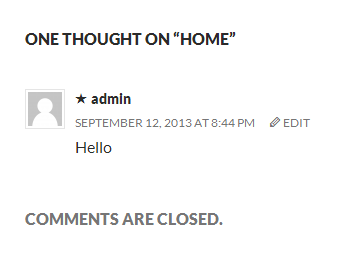
Another comments.php Example
Here’s an example of the comments.php template included with the Twenty Thirteen theme:
<?php
/**
 * The template for displaying Comments.
 *
 * The area of the page that contains comments and the comment form.
 *
 * @package WordPress
 * @subpackage Twenty_Thirteen
 * @since Twenty Thirteen 1.0
 */
/*
* If the current post is protected by a password and the visitor has not yet
* entered the password we will return early without loading the comments.
*/
if ( post_password_required() ) {
return;
}
?>
<div id="comments" class="comments-area">
<?php if ( have_comments() ) : ?>
<h2 class="comments-title">
<?php
printf(
_nx(
'One thought on "%2$s"',
'%1$s thoughts on "%2$s"',
get_comments_number(),
'comments title',
'twentythirteen'
),
number_format_i18n( get_comments_number() ),
'<span>' . get_the_title() . '</span>'
);
?>
</h2>
<ol class="comment-list">
<?php
wp_list_comments( array(
'style' => 'ol',
'short_ping' => true,
'avatar_size' => 74,
) );
?>
</ol><!-- .comment-list -->
<?php if ( get_comment_pages_count() > 1 && get_option( 'page_comments' ) ) : ?>
<nav class="navigation comment-navigation" role="navigation">
<h1 class="screen-reader-text section-heading"><?php _e( 'Comment navigation', 'twentythirteen' ); ?></h1>
<div class="nav-previous"><?php previous_comments_link( __( '← Older Comments', 'twentythirteen' ) ); ?></div>
<div class="nav-next"><?php next_comments_link( __( 'Newer Comments →', 'twentythirteen' ) ); ?></div>
</nav><!-- .comment-navigation -->
<?php endif; // Check for comment navigation ?>
<?php if ( ! comments_open() && get_comments_number() ) : ?>
<p class="no-comments"><?php _e( 'Comments are closed.', 'twentythirteen' ); ?></p>
<?php endif; ?>
<?php endif; // have_comments() ?>
<?php comment_form(); ?>
</div><!-- #comments -->
Breaking down the comments.php
The above comments.php can be broken down to the below parts for better understanding.
- Template Header
- Comments Title
- Comment Listing
- Comment Pagination
- Comments are closed message.
- The End
Template Header
This template begins by identifying the template.
<?php
/**
* The template for displaying Comments.
*
* The area of the page that contains comments and the comment form.
*
* @package WordPress
* @subpackage Twenty_Thirteen
* @since Twenty Thirteen 1.0
*/Next, there’s a test to see if the post is password protected and, if so, it stops processing the template.
/*
 * If the current post is protected by a password and the visitor has not yet
 * entered the password we will return early without loading the comments.
 */
if ( post_password_required() )
 return;
?>
Finally, there’s a test to see if there are comments associated with this post.
<div id="comments" class="comments-area">
	<?php if ( have_comments() ) : ?>
Comments Title
Prints out the header that appears above the comments.
<h2 class="comments-title">
	<?php
	printf(
		_nx(
			'One thought on "%2$s"',
			'%1$s thoughts on "%2$s"',
			get_comments_number(),
			'comments title',
			'twentythirteen'
		),
		number_format_i18n( get_comments_number() ),
		'<span>' . get_the_title() . '</span>'
	);
	?>
</h2>
Comment Listing
The following snippet creates an ordered listing of comments using the wp_list_comments() function.
<ol class="comment-list">
	<?php
	wp_list_comments( array(
		'style'       => 'ol',
		'short_ping'  => true,
		'avatar_size' => 74,
	) );
	?>
</ol><!-- .comment-list -->
Comment Pagination
Checks to see if there are enough comments to merit adding comment navigation and, if so, create comment navigation.
<?php if ( get_comment_pages_count() > 1 && get_option( 'page_comments' ) ) : ?>
<nav class="navigation comment-navigation" role="navigation">
<h3 class="screen-reader-text section-heading"><?php _e( 'Comment navigation', 'twentythirteen' ); ?></h3>
<div class="nav-previous"><?php previous_comments_link( __( '← Older Comments', 'twentythirteen' ) ); ?></div>
<div class="nav-next"><?php next_comments_link( __( 'Newer Comments →', 'twentythirteen' ) ); ?></div>
</nav><!-- .comment-navigation -->
<?php endif; // Check for comment navigation ?>
Comments are closed message.
If comments aren’t open, displays a line indicating that they’re closed.
<?php if ( ! comments_open() && get_comments_number() ) : ?>
	<p class="no-comments"><?php _e( 'Comments are closed.', 'twentythirteen' ); ?></p>
<?php endif; ?>
The End
This section ends the comments loop, includes the comment form, and closes the comment wrapper.
	<?php endif; // have_comments() ?>

	<?php comment_form(); ?>

</div><!-- #comments -->
Comments Pagination
If you have a lot of comments (which makes your page long), then there are a number of potential benefits to paginating your comments. Pagination helps improve page load speed, especially on mobile devices.
Enabling comments pagination is done in two steps.
- Enable paged comments within WordPress by going to Settings > Discussion , and checking the box “Break comments into pages” . You can enter any number for the “top level comments per page”.
- Open your
comments.phptemplate file and add the following line where you want the comment pagination to appear.
<div class="pagination">
	<?php paginate_comments_links(); ?>
</div>
Alternative Comment Template
On some occasions you may want display your comments differently within your theme. For this you would build an alternate file (ex. short-comments.php) and call it as follows:
<?php comments_template( '/short-comments.php' );The path to the file used for an alternative comments template should be relative to the current theme root directory, and include any subfolders. So if the custom comments template is in a folder inside the theme, it may look like this when called:
<?php comments_template( '/custom-templates/alternative-comments.php' );Function Reference
- wp_list_comments() : Displays all comments for a post or Page based on a variety of parameters including ones set in the administration area.
- comment_form() : This tag outputs a complete commenting form for use within a template.
- comments_template() : Load the comment template specified in first argument
- paginate_comments_links() : Create pagination links for the comments on the current post.
- get_comments() : Retrieve the comments with possible use of arguments
- get_approved_comments() : Retrieve the approved comments for post id provided.