Position
概述
theme.json 中的 settings.position 属性用于控制块在 WordPress 中的全局定位设置,主要配置用户界面中的可用选项而非直接应用样式。当前仅支持 sticky 属性,用于启用块的粘性定位功能。
关键要点
- settings.position 是 theme.json 中顶级 settings 属性下的一个对象,目前仅包含 sticky 布尔值属性。
- sticky 属性控制是否在块检查器中启用 Position: Sticky 选项,适用于支持定位功能的块(如 Group 块)。
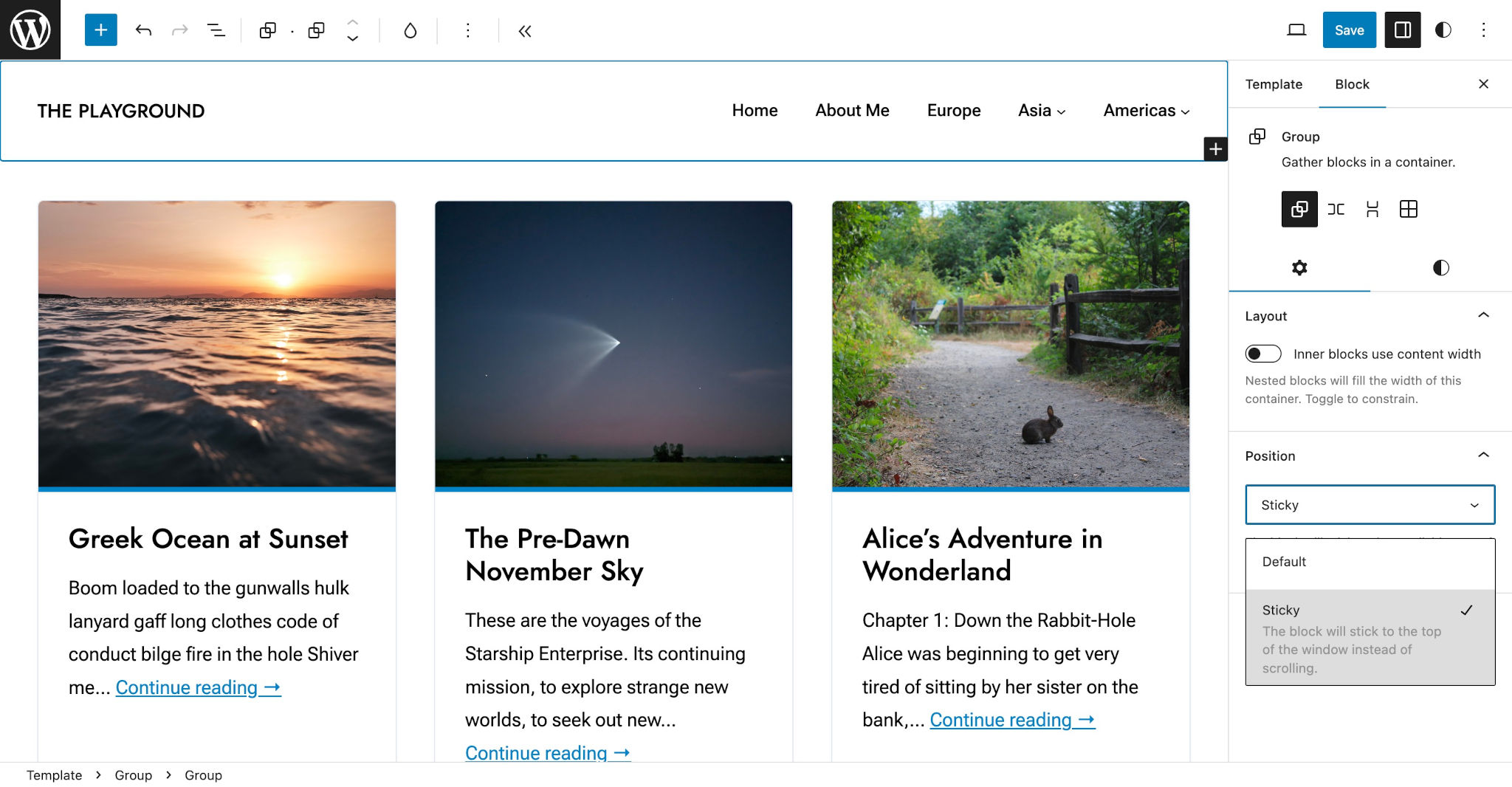
- 启用 sticky 后,用户可以在块检查器的 Position 标签中选择 Default 或 Sticky 选项,实现滚动时块粘附到最近父元素的效果。
- 注意:Header 模板部分不能直接应用定位,需将其包裹在 Group 块中并在 Group 上设置 sticky 定位。
代码示例
{
  "version": 2,
  "settings": {
    "position": {
      "sticky": true
    }
  }
}The settings.position property in theme.json gives you control over the global positioning settings for blocks in WordPress. It’s important to note that this lets you configure the available settings in the user interface, not the position styles.
Position settings
position is an object that’s nested directly within the top-level settings property in theme.json. Currently, it only lets you set a single property:
sticky: A boolean value for enabling block support for the Position: Sticky option.
Take a look at the position property in the context of a theme.json file with its default values:
{
	"version": 2,
	"settings": {
		"position": {
			"sticky": false
		}
	}
}
Enabling sticky positioning
Sticky positioning can be particularly useful in theme designs that feature a header that sticks to the top of the screen as the user scrolls down the page. This is one of the primary use cases, but it can also be useful in other scenarios.
Setting a block to the sticky position will stick the block to its most immediate parent when the user scrolls the page. Sticky positioning is only possible if enabled in theme.json.
To enable sticky positioning for blocks that support it, set settings.position.sticky to true:
{
	"version": 2,
	"settings": {
		"position": {
			"sticky": true
		}
	}
}
This will enable a new Position tab in the block inspector controls (for blocks that support the position feature, such as Group). The control will show a dropdown select with the available position options: Default and Sticky:
If you want to create a sticky header, note that you cannot use positioning on the Header template part. You must wrap it with a containing Group block and apply the sticky positioning to the Group.