更新服务
概述
更新服务是用于通知他人博客更新的工具。WordPress 在创建或更新文章时,会自动通过 XML-RPC ping 通知流行的更新服务,这些服务会处理 ping 并更新其专有索引。
关键要点
- WordPress 自动发送 XML-RPC ping 到更新服务,以广播博客更新。
- 常用服务如 Ping-o-Matic 可一次性通知多个搜索引擎,简化更新流程。
- 在设置->撰写管理屏幕中,可移除更新服务 URI 以禁用 ping 通知。
- 某些主机可能禁用相关 PHP 函数,导致 ping 失败,需相应调整配置。
- WordPress 多站点网络中,默认禁用单个站点的更新服务编辑,需通过自定义插件恢复。
代码示例
add_action( 'init', function() {
    if ( is_multisite() ) {
        // Allow the Update Services configuration screen to appear.
        add_filter( 'enable_update_services_configuration', '__return_true', 11 );

        // Whitelist the 'ping_sites' option so changes can be saved to the database.
        add_filter( 'whitelist_options', function( $options ) {
            $options['writing'][] = 'ping_sites';
            return $options;
        }, 11 );
    }
} );Update Services are tools you can use to let other people know you’ve updated your blog. WordPress automatically notifies popular Update Services that you’ve updated your blog by sending a XML-RPC ping each time you create or update a post. In turn, Update Services process the ping and updates their proprietary indices with your update.
Common Usage
Most people use Ping-o-Matic which, with just one “ping” from you, will let many other services know that you’ve updated. As for why, Ping-O-Matic puts it best:
Ping-O-Matic is a service to update different search engines that your blog has updated.
We regularly check downstream services to make sure that they’re legit and still work. So while it may appear like we have fewer services, they’re the most important ones.
If you do not want the update services to be pinged, remove all the update service URIs listed under “Update Services” on the Settings->Writing administration screen of your WordPress installation.
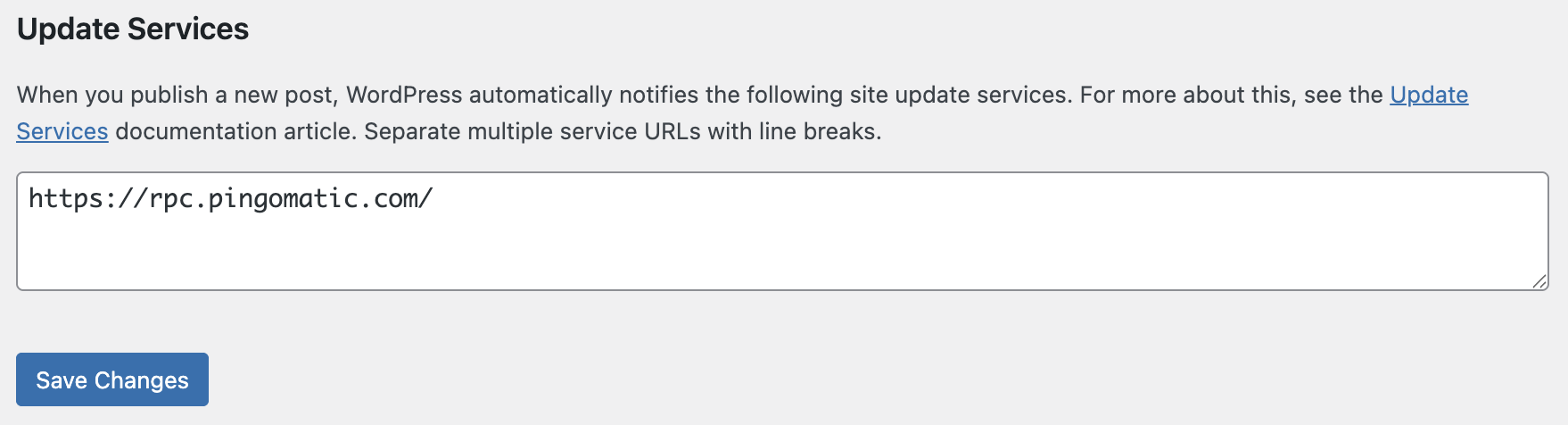
Certain web hosts – particularly free ones – disable the PHP functions used to alert update services. If your web host prevents pings, you should stop WordPress from attempting to ping.
XML-RPC Ping Services
https://rpc.pingomatic.com/
https://rpc.twingly.com/
http://ping.blo.gs/
Alternatives
An alternative is Feed Shark, which pings over 60 services for free.
WordPress Multisite Network
By default, editing the Ping Services field is disabled for individual sites in a WordPress Multisite network. To restore this option, you can add a small custom plugin or must-use plugin with the following code:
add_action( 'init', function() {
    if ( is_multisite() ) {
        // Allow the Update Services configuration screen to appear.
        add_filter( 'enable_update_services_configuration', '__return_true', 11 );

        // Whitelist the 'ping_sites' option so changes can be saved to the database.
        add_filter( 'whitelist_options', function( $options ) {
            $options['writing'][] = 'ping_sites';
            return $options;
        }, 11 );
    }
} );