将您的插件添加到区块目录
概述
本文档介绍了如何将插件添加到 WordPress 的区块目录,主要区分了仅包含区块的插件和包含区块的插件,并提供了相关工具和提交指南。
关键要点
- 区块相关插件分为两类:仅包含区块的插件和包含区块的插件。
- 仅包含区块的插件需遵循额外规则,如以 JavaScript 为主、最小化 PHP 代码,并仅限于 Gutenberg 编辑器内使用。
- 使用 Block Checker 工具可自行添加或移除仅包含区块的插件到区块目录。
- 包含区块的插件需通过邮件提交至 plugins@wordpress.org 进行审核,确保符合 WordPress 最新版本和安全标准。
代码示例
// 示例:仅包含区块的插件结构
// 主要代码应为 JavaScript,PHP 仅用于基本注册
register_block_type( 'my-plugin/my-block', array(
    'editor_script' => 'my-block-script',
    'editor_style'  => 'my-block-style',
) );
注意事项
- 仅包含区块的插件需保持轻量级,以支持一键安全安装。
- 提交前确保插件兼容最新 WordPress 版本并无安全漏洞,否则可能被关闭。
- 区块目录的添加不会直接影响插件 SEO 或排名。
There are two main directory listings of block related plugins.
- Plugins that are only blocks
- Plugins that contain blocks
A plugin can be listed in both, however there will be no benefit to your plugin SEO or ranking due to either. The only benefit to being a plugin that is only a block is that you gain the ability to be added to the Block Directory in the Block Editor itself, for immediate installation.
Block Only Plugins
Block Only plugins are plugins that only contain blocks.
Block Plugins are required to be much smaller and more minimalist than a regular WordPress plugin in order to be safely installed with a single click. That means as well as keeping to the regular plugin guidelines you’ll also need to follow some additional rules. In particular, you should stick to mostly JavaScript code and keep PHP to the bare minimum; and not add any UI or other code outside of the Gutenberg editor.
If you’re a committer of a block plugin that does meet the criteria for adding it to the Block Directory as confirmed by the Checker tool, you can then add it yourself using the Block Checker tool:
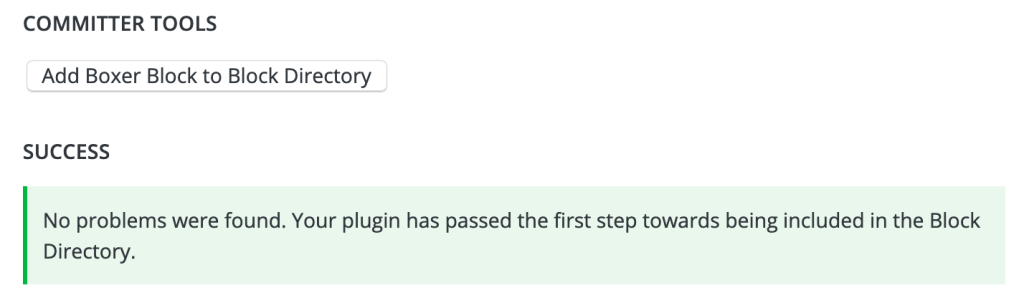
Likewise you can remove it at any time using that same tool if you notice problems or would prefer it wasn’t included.
Helpful tools:
- Block Creation tutorial – how to write a block plugin
- Block Submission tutorial – tips and suggestions for ensuring your block is ready for the Block Directory
- Block Checker tool – validate plugin for inclusion
Plugins Containing Blocks
Many older plugins, as well as larger and more complex plugins, may contain blocks. They also will contain other features, like widgets. An example of this sort of plugin would be Jetpack or Yoast SEO. While they have a large number of features, they also contain some blocks.
If you’ve written a plugin that introduces or improves blocks, or know of a plugin that does, email us at plugins@wordpress.org and request your plugin be added. At that time, your plugin will be reviewed to confirm this request, but also to ensure you meet all current guideline standards.
Before you email, please make certain your plugin is compatible with the latest version of WordPress and that it is free from all security issues. If there are security or guideline issues in your plugin, it may be closed pending your corrections.